> ## Documentation Index
> Fetch the complete documentation index at: https://liaobots.mintlify.site/llms.txt
> Use this file to discover all available pages before exploring further.
# Integrate OpenCode
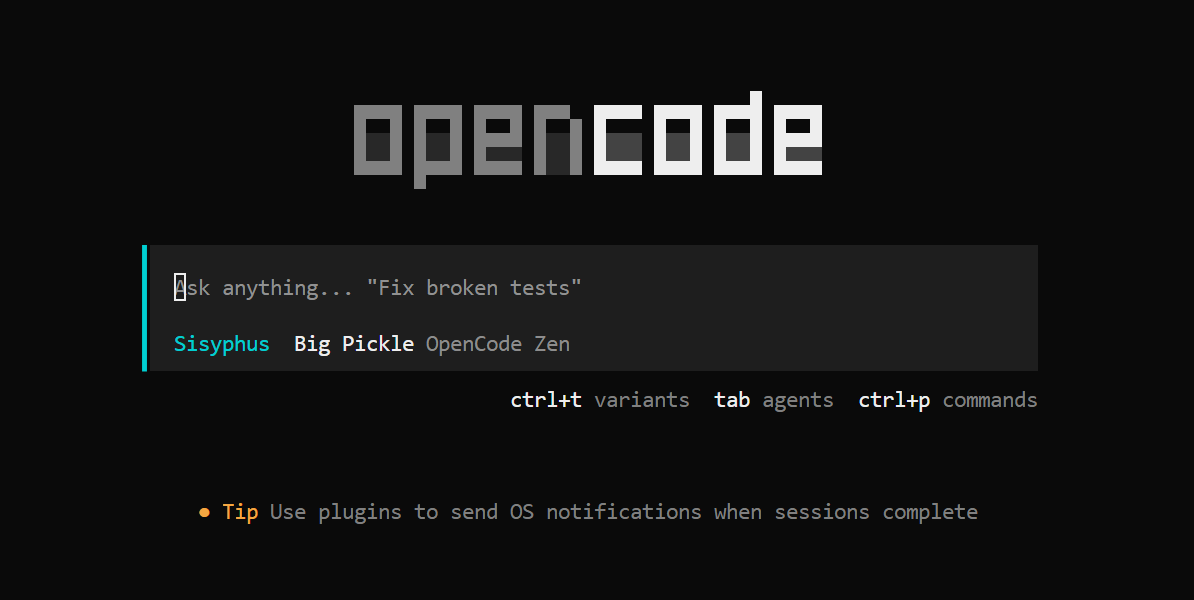 ## Prerequisites
Follow the [official documentation](https://github.com/anomalyco/opencode) to install either the command-line version or the [desktop version](https://opencode.ai/download) of OpenCode.
Supported platforms: macOS, Windows, and Linux.
For pricing ratios of GPT (CodeX) and other models, please refer to [Models & Pricing](/Aggregation/Model-Price). For API addresses and backup URLs, see [API Call Examples](/Getting-Started/en/API)
## Locate the OpenCode Configuration File
**macOS / Linux:**
`~/.config/opencode/opencode.json`
**Windows:**
`%APPDATA%\opencode\opencode.json`
or
`\.config\opencode\opencode.json`
## Configure GPT / CodeX Models
Modify `opencode.json` as shown below:
## Prerequisites
Follow the [official documentation](https://github.com/anomalyco/opencode) to install either the command-line version or the [desktop version](https://opencode.ai/download) of OpenCode.
Supported platforms: macOS, Windows, and Linux.
For pricing ratios of GPT (CodeX) and other models, please refer to [Models & Pricing](/Aggregation/Model-Price). For API addresses and backup URLs, see [API Call Examples](/Getting-Started/en/API)
## Locate the OpenCode Configuration File
**macOS / Linux:**
`~/.config/opencode/opencode.json`
**Windows:**
`%APPDATA%\opencode\opencode.json`
or
`\.config\opencode\opencode.json`
## Configure GPT / CodeX Models
Modify `opencode.json` as shown below:
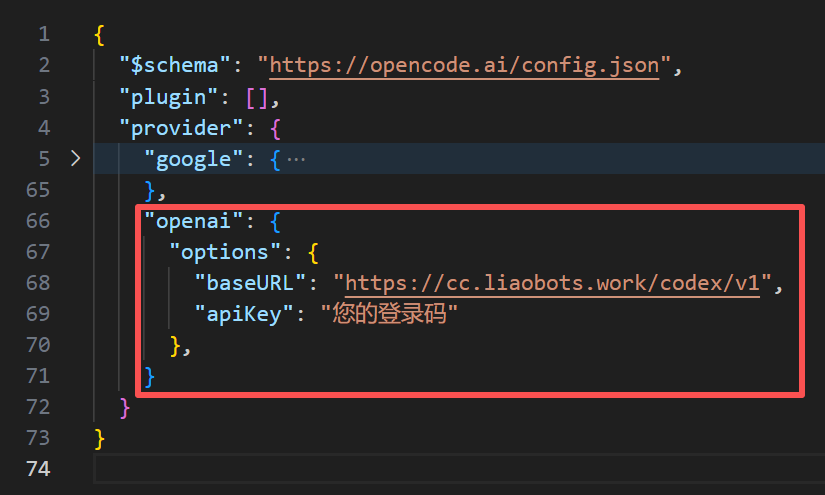 Update the OpenAI provider configuration:
```json theme={null}
"openai": {
"options": {
"baseURL": "https://ai.liaobots.work/codex/v1",
"apiKey": "YOUR_AUTHCODE"
}
}
```
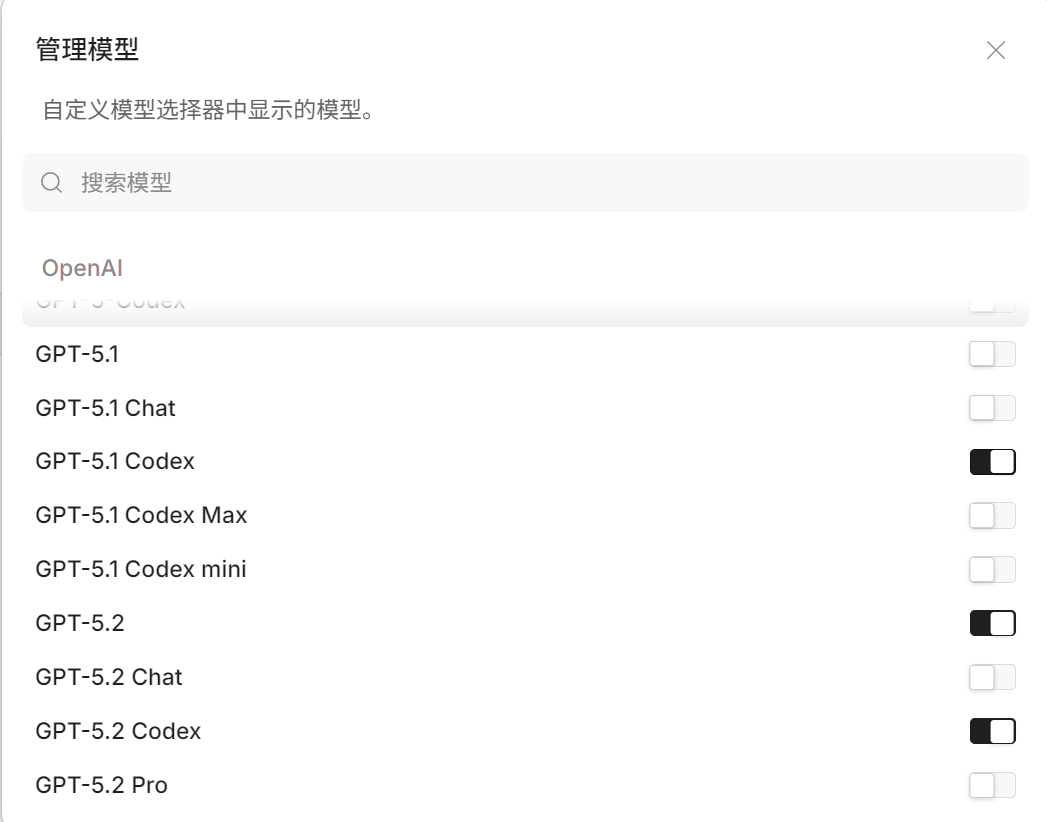
Adjust the default GPT model selection menu in OpenCode to match the following:
Update the OpenAI provider configuration:
```json theme={null}
"openai": {
"options": {
"baseURL": "https://ai.liaobots.work/codex/v1",
"apiKey": "YOUR_AUTHCODE"
}
}
```
Adjust the default GPT model selection menu in OpenCode to match the following:
 ## Configure Claude Models
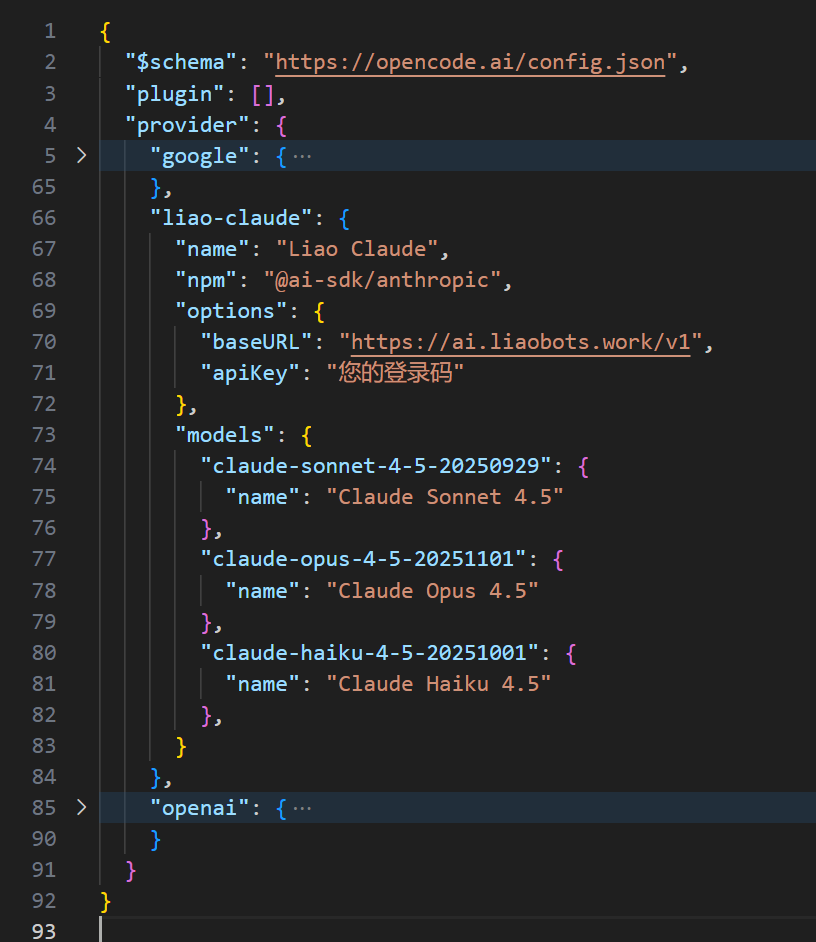 Add a custom Claude provider:
```json theme={null}
"liao-claude": {
"name": "Liao Claude",
"npm": "@ai-sdk/anthropic",
"options": {
"baseURL": "https://ai.liaobots.work/v1",
"apiKey": "YOUR_AUTHCODE"
},
"models": {
"claude-sonnet-4-5-20250929": {
"name": "Claude Sonnet 4.5"
},
"claude-opus-4-5-20251101": {
"name": "Claude Opus 4.5"
},
"claude-haiku-4-5-20251001": {
"name": "Claude Haiku 4.5"
}
}
}
```
## Configure Gemini Models
Add a custom Claude provider:
```json theme={null}
"liao-claude": {
"name": "Liao Claude",
"npm": "@ai-sdk/anthropic",
"options": {
"baseURL": "https://ai.liaobots.work/v1",
"apiKey": "YOUR_AUTHCODE"
},
"models": {
"claude-sonnet-4-5-20250929": {
"name": "Claude Sonnet 4.5"
},
"claude-opus-4-5-20251101": {
"name": "Claude Opus 4.5"
},
"claude-haiku-4-5-20251001": {
"name": "Claude Haiku 4.5"
}
}
}
```
## Configure Gemini Models
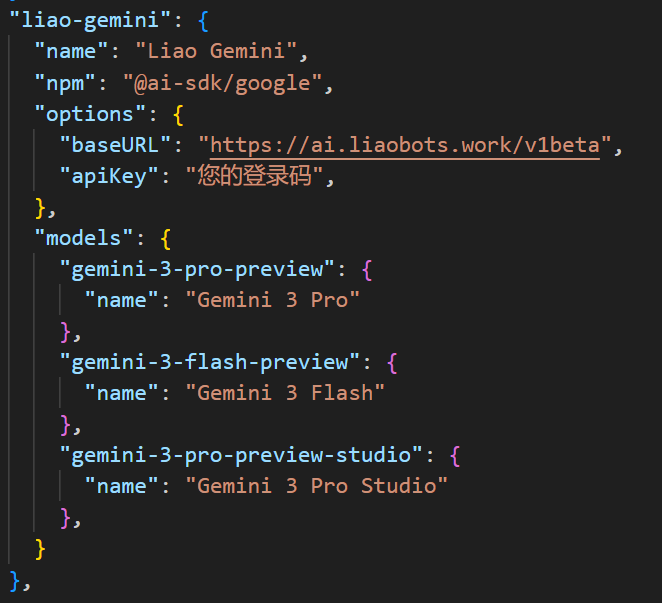 Add a custom provider:
```json theme={null}
"liao-gemini": {
"name": "Liao Gemini",
"npm": "@ai-sdk/google",
"options": {
"baseURL": "https://ai.liaobots.work/v1beta",
"apiKey": "YOUR_AUTHCODE"
},
"models": {
"gemini-3-pro-preview": {
"name": "Gemini 3 Pro"
},
"gemini-3-flash-preview": {
"name": "Gemini 3 Flash"
},
"gemini-3-pro-preview-studio": {
"name": "Gemini 3 Pro Studio"
}
}
}
```
## Configure Other OpenAI-Compatible Models
Add a custom provider:
```json theme={null}
"liao-xxx": {
"name": "Liao xxx",
"npm": "@ai-sdk/openai-compatible",
"options": {
"baseURL": "https://ai.liaobots.work/v1",
"apiKey": "YOUR_AUTHCODE"
},
"models": {
"xxx": {
"name": "xxx"
}
}
}
```
Add a custom provider:
```json theme={null}
"liao-gemini": {
"name": "Liao Gemini",
"npm": "@ai-sdk/google",
"options": {
"baseURL": "https://ai.liaobots.work/v1beta",
"apiKey": "YOUR_AUTHCODE"
},
"models": {
"gemini-3-pro-preview": {
"name": "Gemini 3 Pro"
},
"gemini-3-flash-preview": {
"name": "Gemini 3 Flash"
},
"gemini-3-pro-preview-studio": {
"name": "Gemini 3 Pro Studio"
}
}
}
```
## Configure Other OpenAI-Compatible Models
Add a custom provider:
```json theme={null}
"liao-xxx": {
"name": "Liao xxx",
"npm": "@ai-sdk/openai-compatible",
"options": {
"baseURL": "https://ai.liaobots.work/v1",
"apiKey": "YOUR_AUTHCODE"
},
"models": {
"xxx": {
"name": "xxx"
}
}
}
```